Know Every Student's Strengths

HUB Student Profiles reports human skills for each individual student. Teachers see what a student does well and how they are growing across every human skill the district measures.
HUB Student Profiles supports:

A student presenting her work in class

Solution overview

Responsive to What Each Student Needs

Student-level data shows where each student is ready to grow, and the lessons that build that skill go to the students who need them. Teachers respond to what students need when it matters, then see whether their instruction worked.

Explore Benchmarking and Monitoring
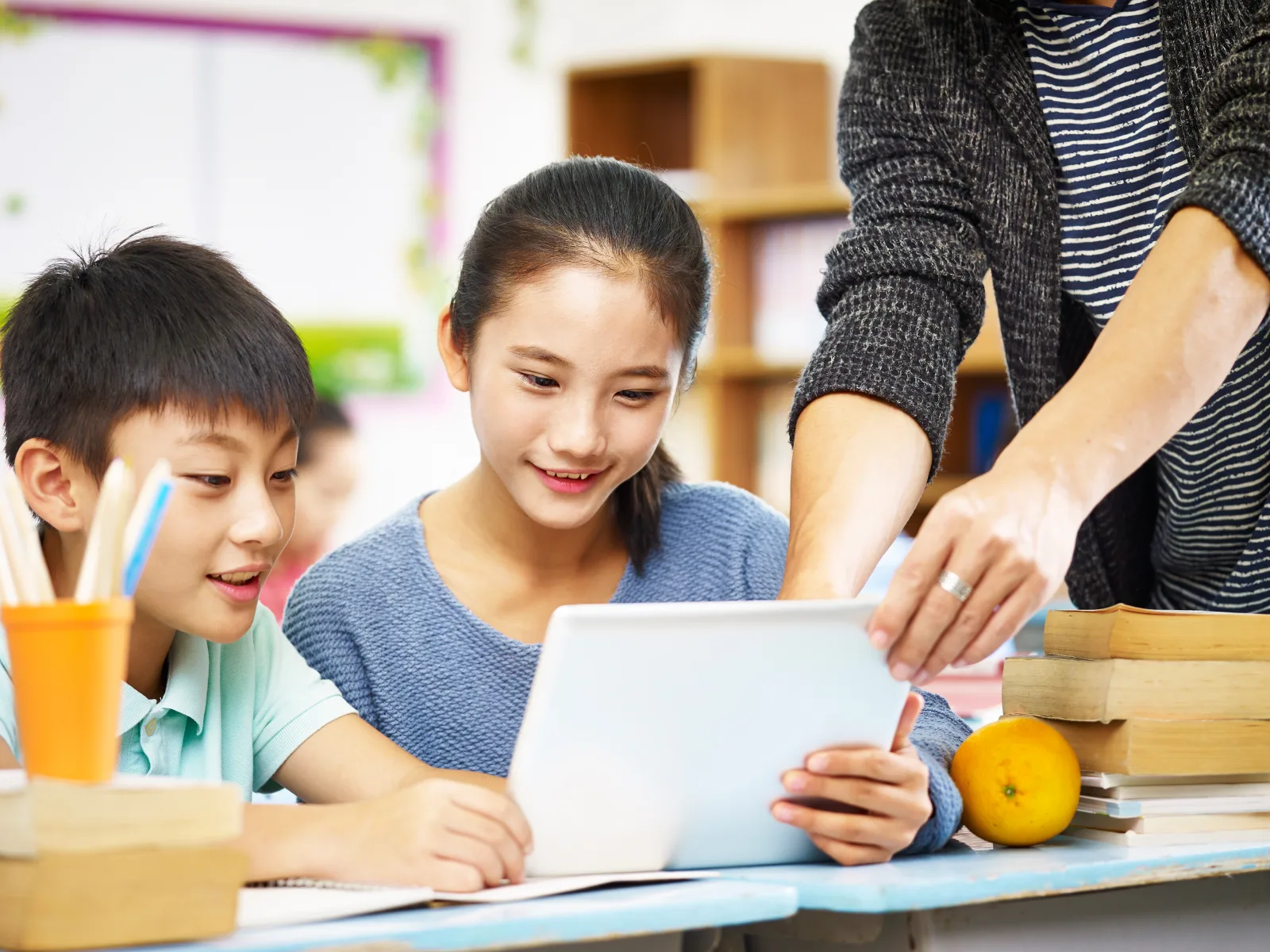
Students working together at a classroom desk

See the Student, Assign the Lesson, Watch It Move

Student Profiles reports what each student does well, where they have room to grow, which lessons build those skills, and how far they move over the year.

Individual Student Data

Results for Each Individual Student

Student Profiles reports all twelve human skills for one student, comparing a student's own view of a skill with what their teacher rated. Districts using HUB Benchmark see the AI analysis as a third perspective on the same skills, scored down to the observable.

  • Where a student stands. Each skill reports against the grade-band expectations in the Human Skills Framework.
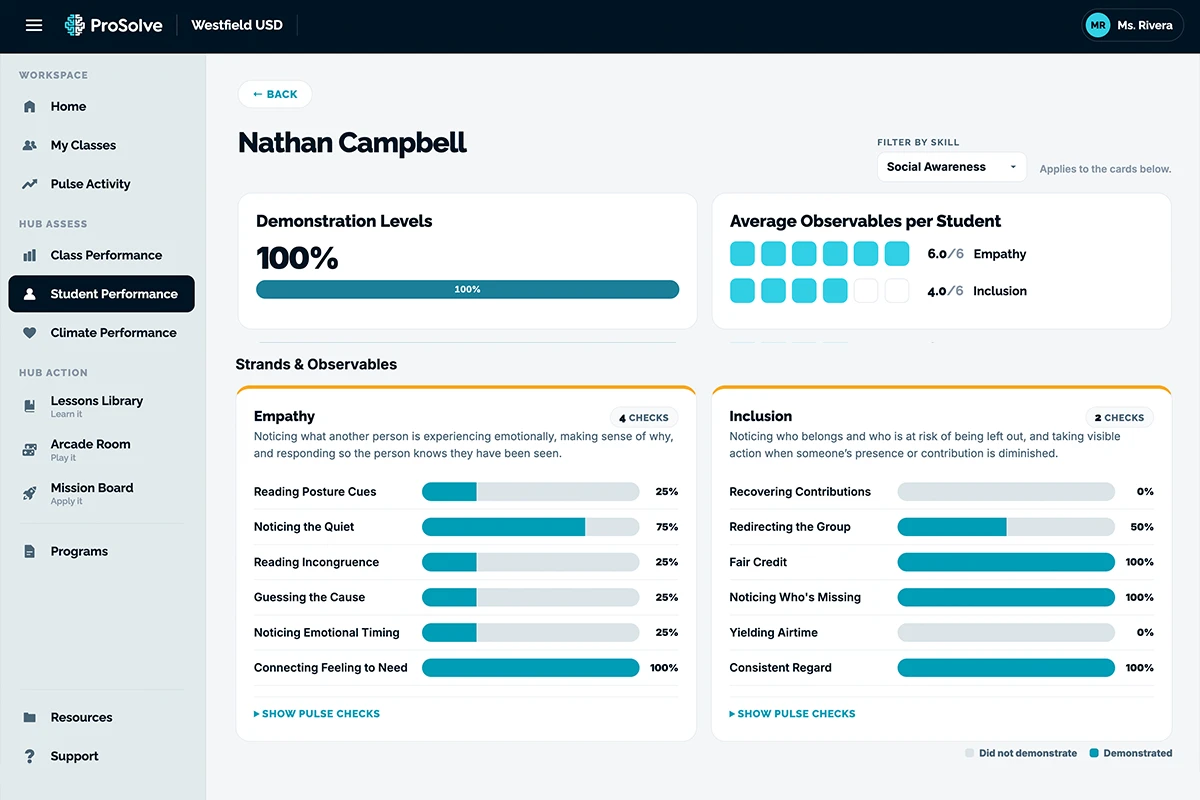
  • Detail down to the observable. With HUB Benchmark, see which specific behaviors a student demonstrated and how often.
  • The full picture at once. A visualization plots all twelve human skills together, so strengths show up as shape.
  • Filtered to one skill. Narrow the report to a single human skill and its strands.
An individual student's human skills report comparing AI, teacher, and student ratings
A facilitator working with a small group of students

Instructional Match

Match the Lesson to the Student

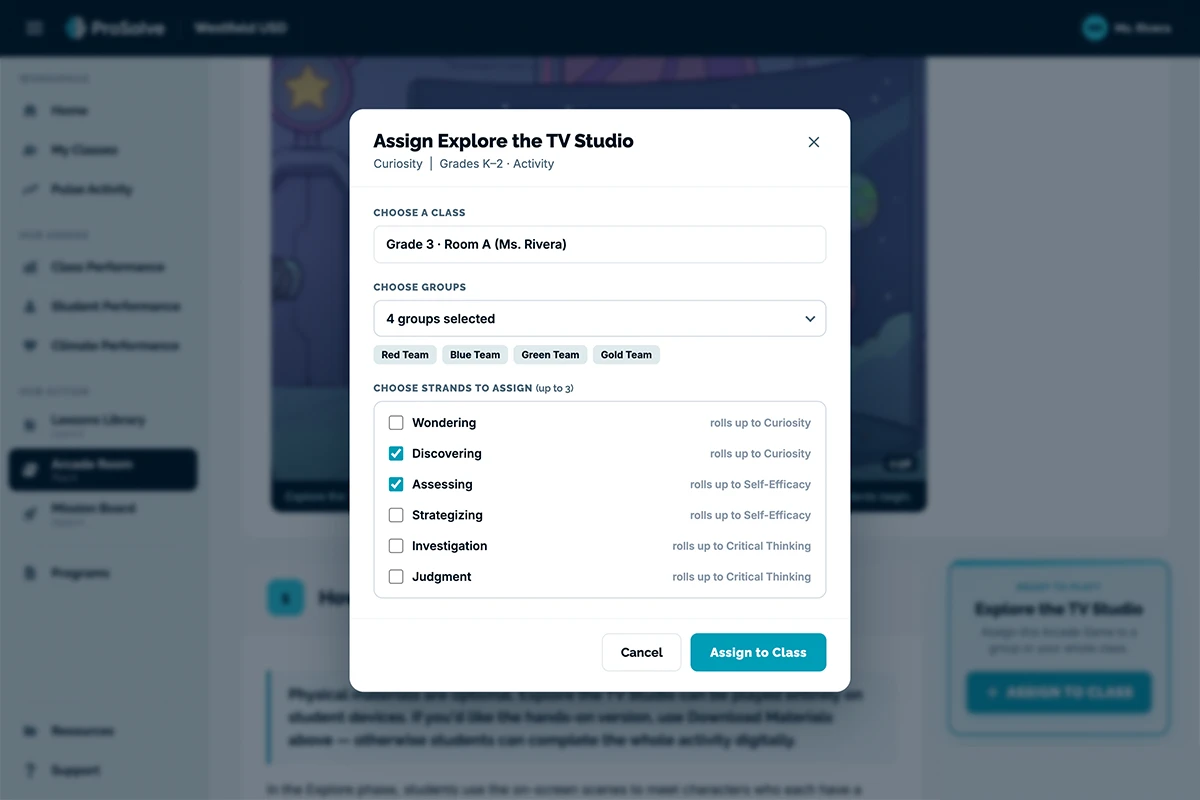
At the individual level, the data names which skills a student is ready to build. HUB Action lessons and Arcade experiences are assigned to that student or to the small group who share the need, so teachers give students what they need when they need it.

  • Matched to the skill the data named. The assignment connects to the observable the report surfaced.
  • Individuals and small groups. Send to one student or to everyone showing the same growth area.
  • Grouping the data does for you. The report identifies which students share a need.
  • Confirmation comes back by student. The next Pulse Check reports whether the skill moved.

Growth

Monitor Growth for Each Student

Teachers see growth on each human skill for each student, and which observables contributed to it. The record builds through the year, so you can trace growth on any human skill back to where a student started.

  • Growth visible within weeks. Pulse Check results report by student between assessment windows.
  • Early signal on what is working. Results show whether the assigned lesson built the skill.
  • Students who need another look. Anyone sitting below where they started is surfaced on that skill.
  • Visible to students. Students see their own results and the growth behind them, so they recognize the skills they are building.

What's included

What Student Profiles Adds

Student Profiles turns the data your district is already collecting into a record for each student, connected to the systems you already use.

Individual Student Reports

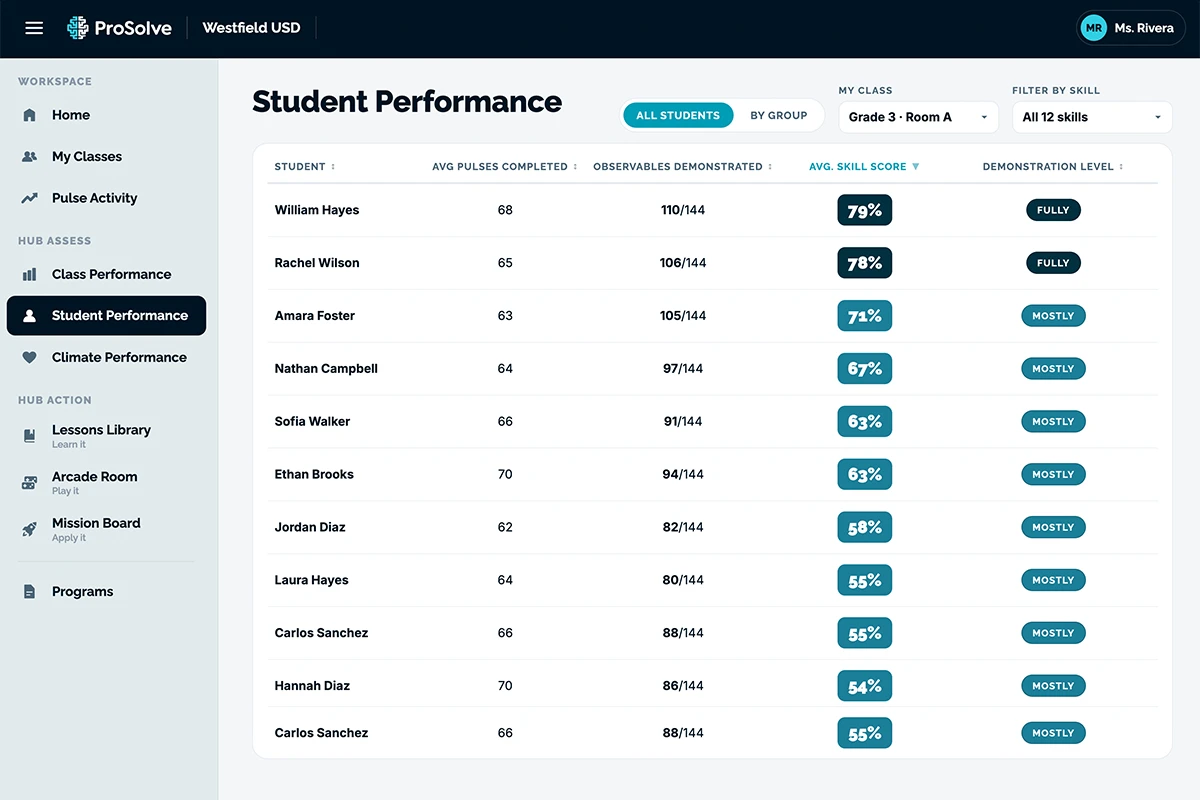
Every student has a human skills report covering all twelve skills, with growth tracked across the year and detail down to the observable level. Pulse Check completion is tracked by students.

Student Information System Integration

Student Profiles connect to your SIS, so rosters, classes, and student records stay current without extra data entry.

Assignment by Student

Lessons and Arcade experiences go to individual students and small groups, matched to the growth area the data identified.

Where Districts Use HUB Student Profiles

Individual data is what lets a district act for one student.

A student presenting her own work

College and Career Readiness Profiles

The skills employers name most often are the ones a transcript does not carry. Student Profiles builds each student's record of human skills growth over time, so counselors and advisors have something specific to work from and students can speak to their own strengths.

Educators reviewing a student-data dashboard together

Intervention and Support

Screening asks which students are ready for more and which need support. Student Profiles reports each student against grade-band expectations, identifies the students who share a growth area, and shows whether the support is working.

Students working at an interactive classroom screen

Alongside Your Academic Data

Human skills results are reported by students, so they sit next to reading, math, attendance, and behavior data in the reviews your teams already conduct. The skills a student brings to academic work become part of the same picture.

A teacher walking through results at a table

In Student and Family Conferences

Teachers walk a student through their own results: the skills they are strong in, the growth since the fall, and what comes next. Students build the habit of looking at their own evidence in the same language the district uses everywhere else.

Make the Invisible Visible in Your District

In a 30-minute demo, we will walk through an individual student's human skills report, show how a lesson reaches the students ready for it, and explore how individual data fits the systems your district already runs.